Home Office Desk Setup Ideas for Better Productivity

Your desk is the command center of your professional life, and its physical layout dictates your mental clarity. If you end the day with neck strain and a scattered mind, the culprit is likely your immediate environment. This guide explores the most effective home office desk setup ideas designed to optimize your workflow and safeguard your focus. Discover how to master desk organization by zoning your workspace, implementing flawless cable management, and executing a highly functional workspace setup. Whether you are outfitting a dedicated home study or a small corner in your apartment, these expert ergonomic and styling tips will help you build a professional, distraction-free command center.

Style Type

Productive Minimalist / Japandi

Budget

Accessible to Premium (Investments needed for ergonomics)

Difficulty

Intermediate (Requires intentional hardware mounting and wire routing)

Best For

Remote Workers, Students, Tech Professionals, Deep Focus
Visual Inspiration

The Optimized Command Center

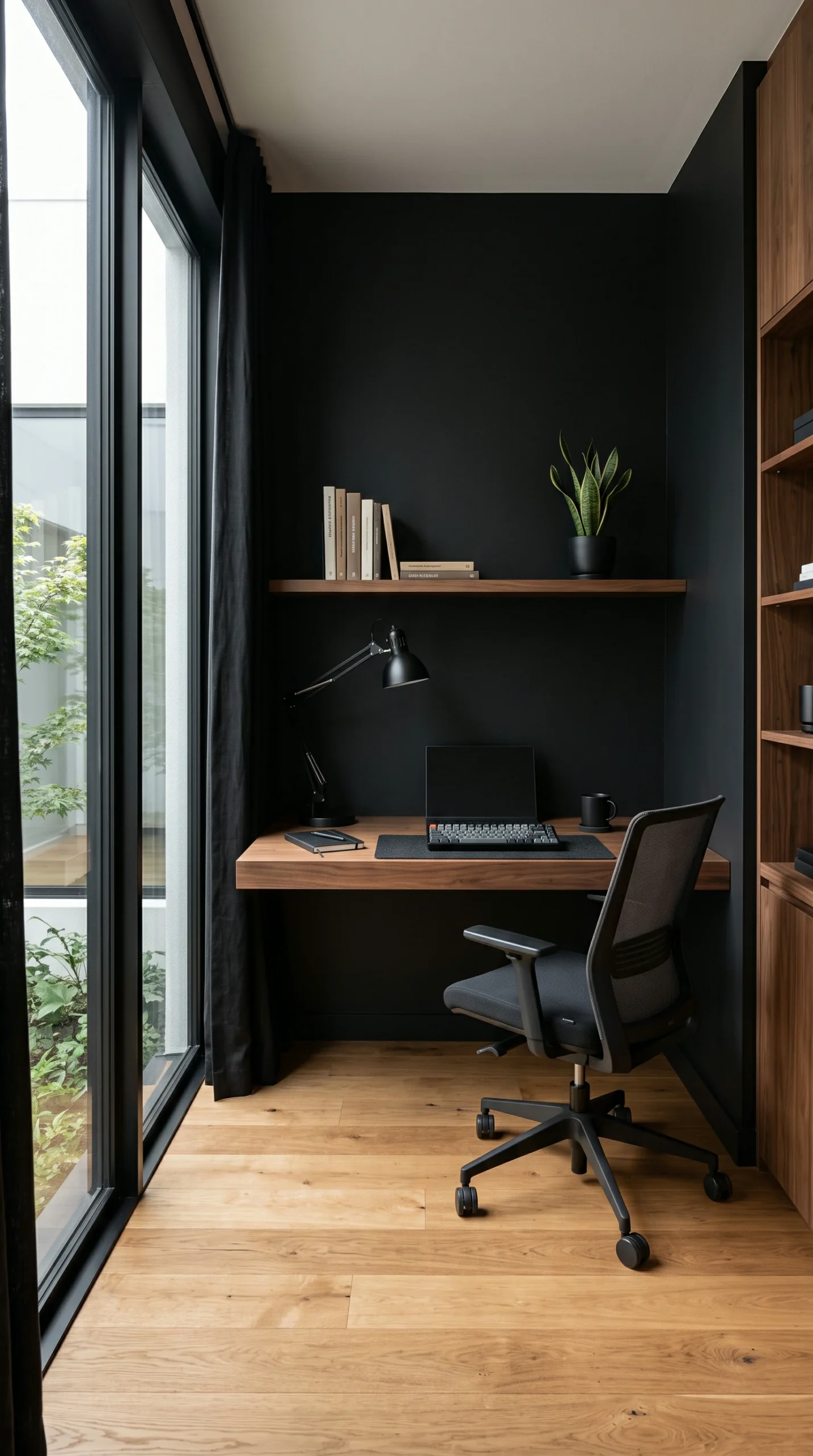
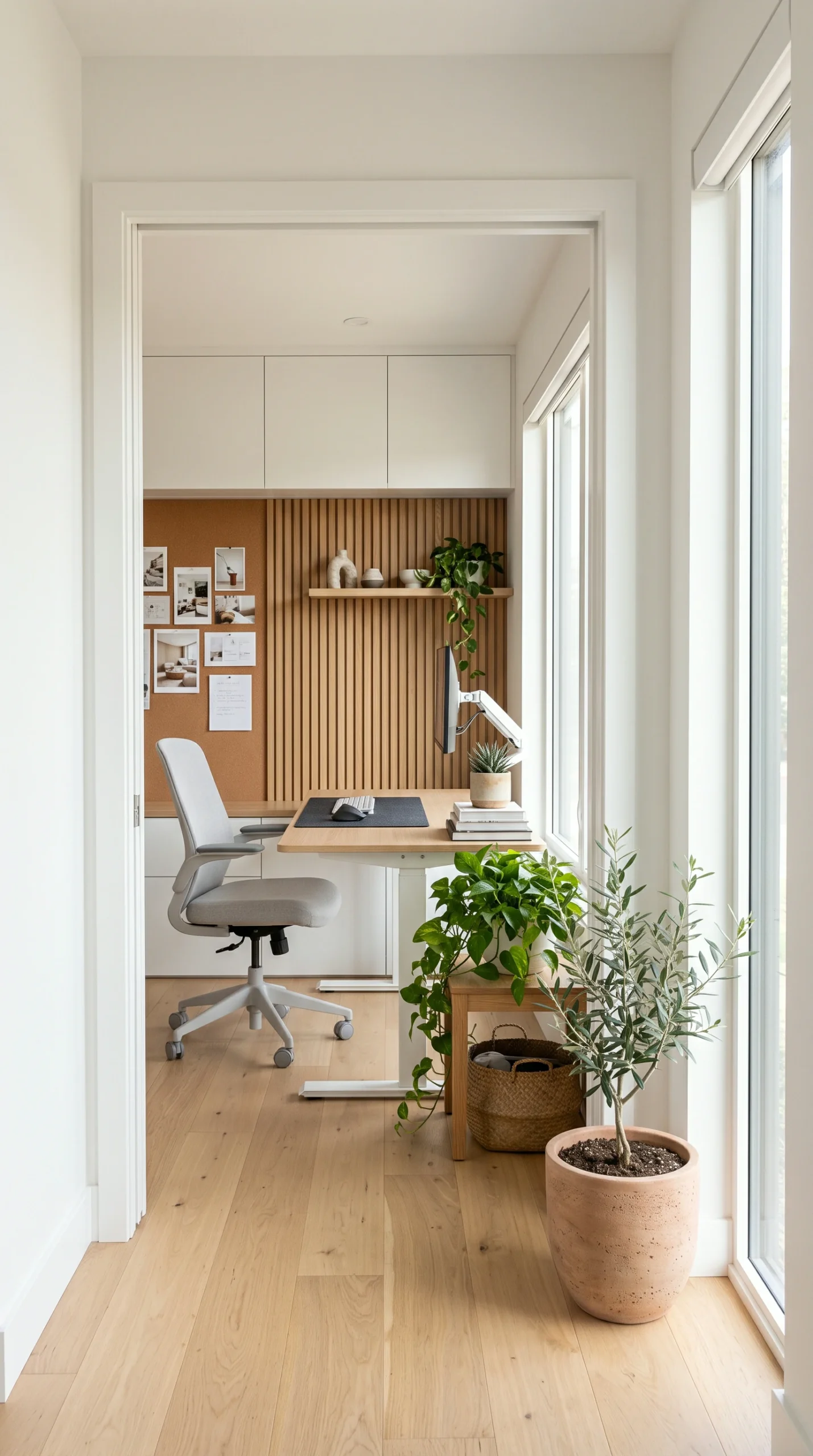
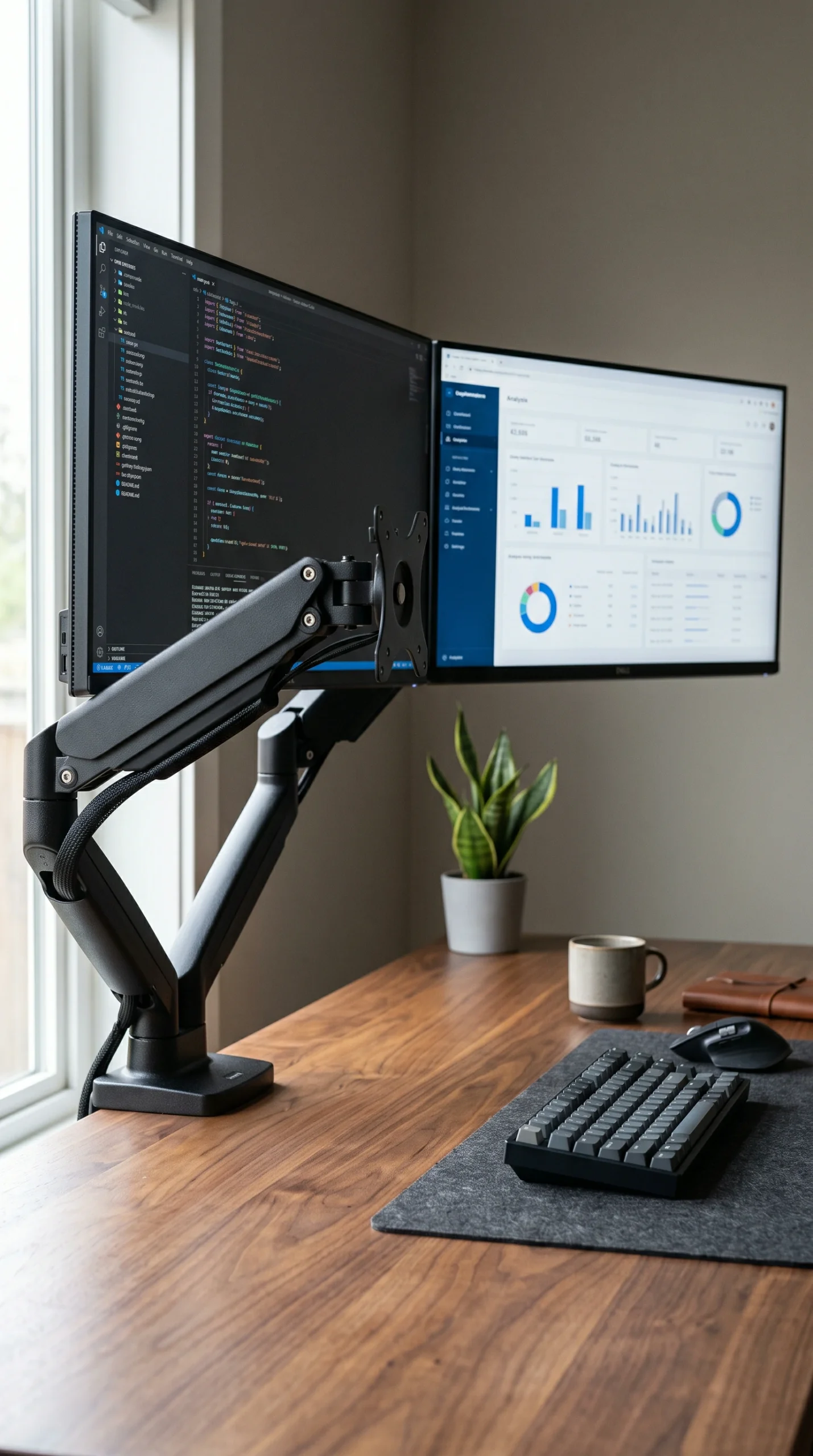
A highly practical visual gallery demonstrating how the strategic placement of dual monitors, bias lighting, and raw wood textures creates a visually calming, ergonomically perfect work environment.
Color Palette

The Deep Flow Palette

A restorative, low-stimulation collection of crisp whites, warm ash woods, grounding charcoals, and natural greens designed to reduce visual fatigue during long focus sessions.

Crisp White

#FDFDFD

Matte Black

#1A1A1A

Warm Ash Wood

#E6D5C3

Soft Concrete

#D3D3D3

Charcoal Slate

#2B2B2B

Focus Green

#556B2F

Brutalist Greige

#A9A9A9

Raw Linen

#EAE0C8

Dark Walnut (Accent)

#4A3C31

Muted Clay

#C2BCAE

Design Guide

Rules for an Optimized Surface

Implement these strict organizational and ergonomic rules to ensure your desk setup actively enhances your output rather than draining your energy.

Ergonomic Triangulation

Align your chair, keyboard, and monitor perfectly. Your eyes should rest exactly at the top third of your monitor, and your elbows should rest at a 90-degree angle when typing.

Monitor Arms are Mandatory

Ditch the bulky factory monitor stands. Clamp a heavy-duty, adjustable mechanical monitor arm to the back of your desk to reclaim massive amounts of functional desk real estate underneath the screens.

The Three-Zone System

Divide your desk. The primary zone (keyboard/mouse) is for active work. The secondary zone (edges) holds frequently used items like a water glass. The tertiary zone (drawers) holds everything else.

Ruthless Cable Routing

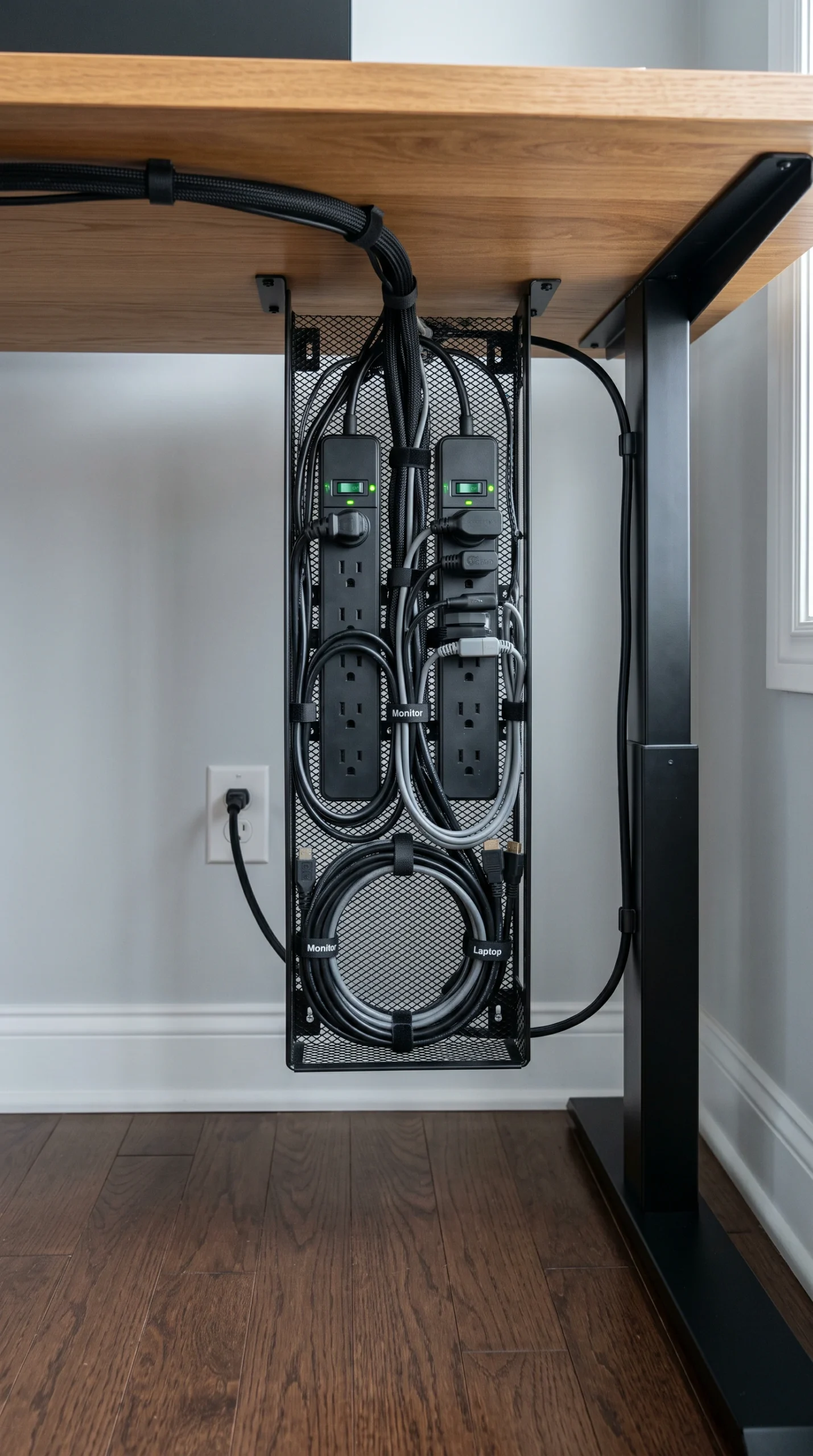
Visible wires cause visual stress. Mount a raceway tray under the back of the desk to hold power strips and power bricks, bundling all cables together so nothing hangs down to your feet.

Surface Protection

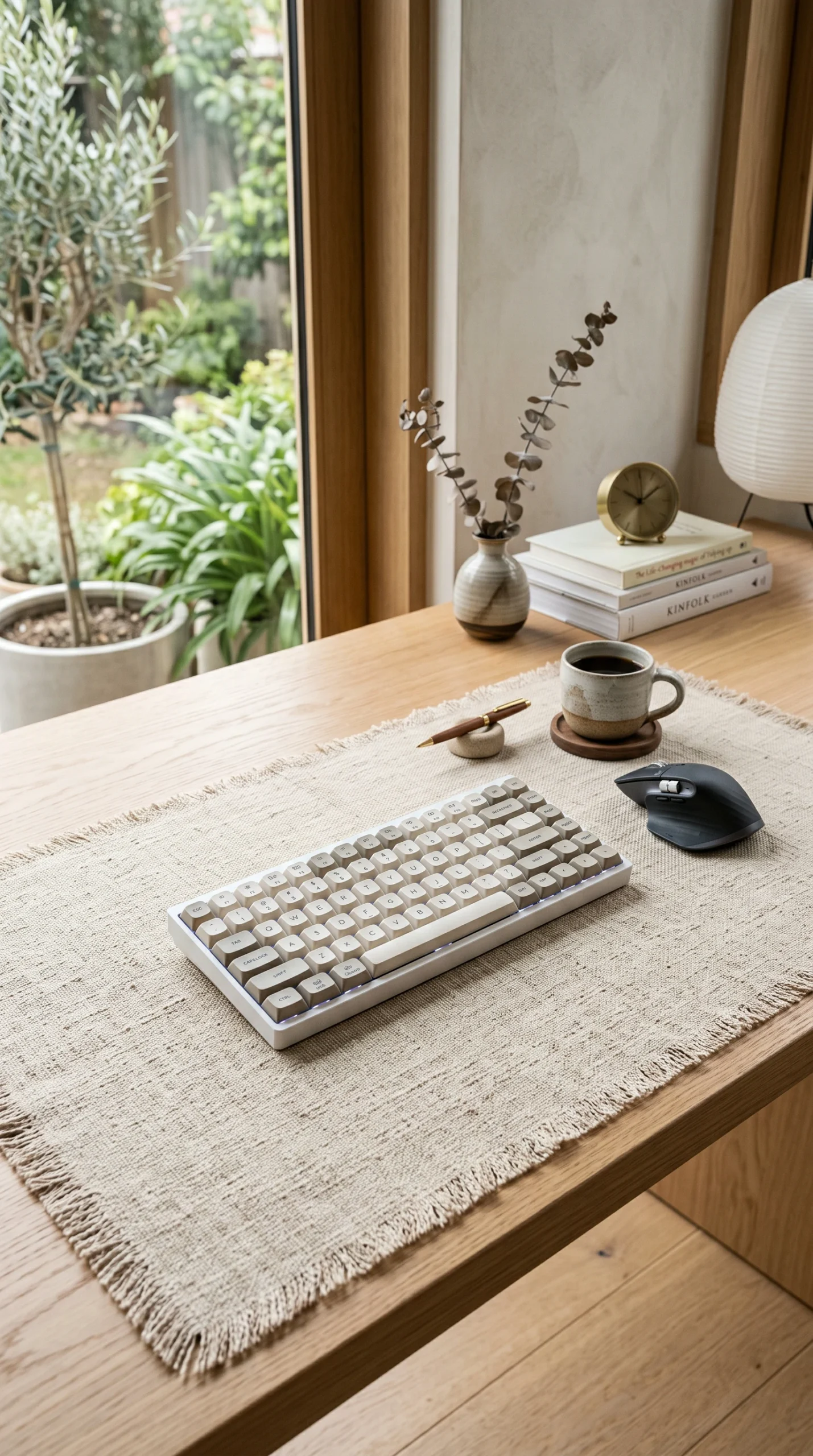
Invest in an oversized, high-quality desk pad made of vegan leather or thick felt. This protects the wood, provides a smooth tracking surface for your mouse, and visually anchors your primary work zone.

Task Lighting Solutions

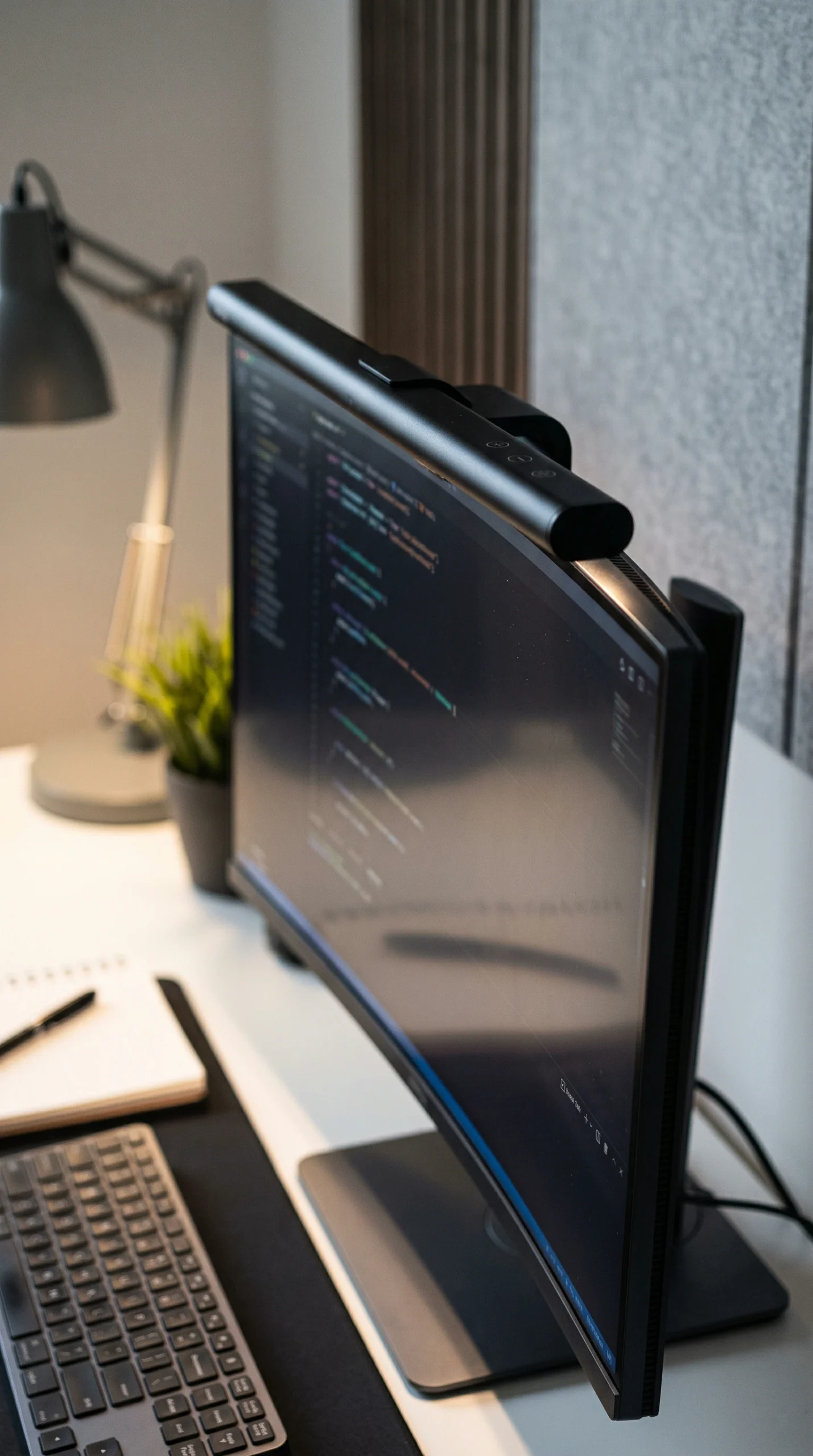
Free up your desktop by swapping a traditional desk lamp for a sleek LED monitor light bar. It casts perfect, glare-free light directly onto your keyboard without taking up a single inch of space.

The Complete Guide

The Complete Guide to Desk Optimization

A productive day does not happen by accident; it is engineered. When you sit down at your desk, the physical environment immediately signals to your brain what behavior is expected. If your surface is cluttered with old mail, tangled charging cords, and coffee mugs, your brain is forced to process that visual noise before it can focus on your actual work. Executing brilliant home office desk setup ideas is the process of eliminating that friction. By prioritizing ergonomics, leveraging the warm, calming textures of Japandi design, and hiding your technology’s infrastructure, you create a frictionless pathway to deep work.

Executing Flawless Desk Organization

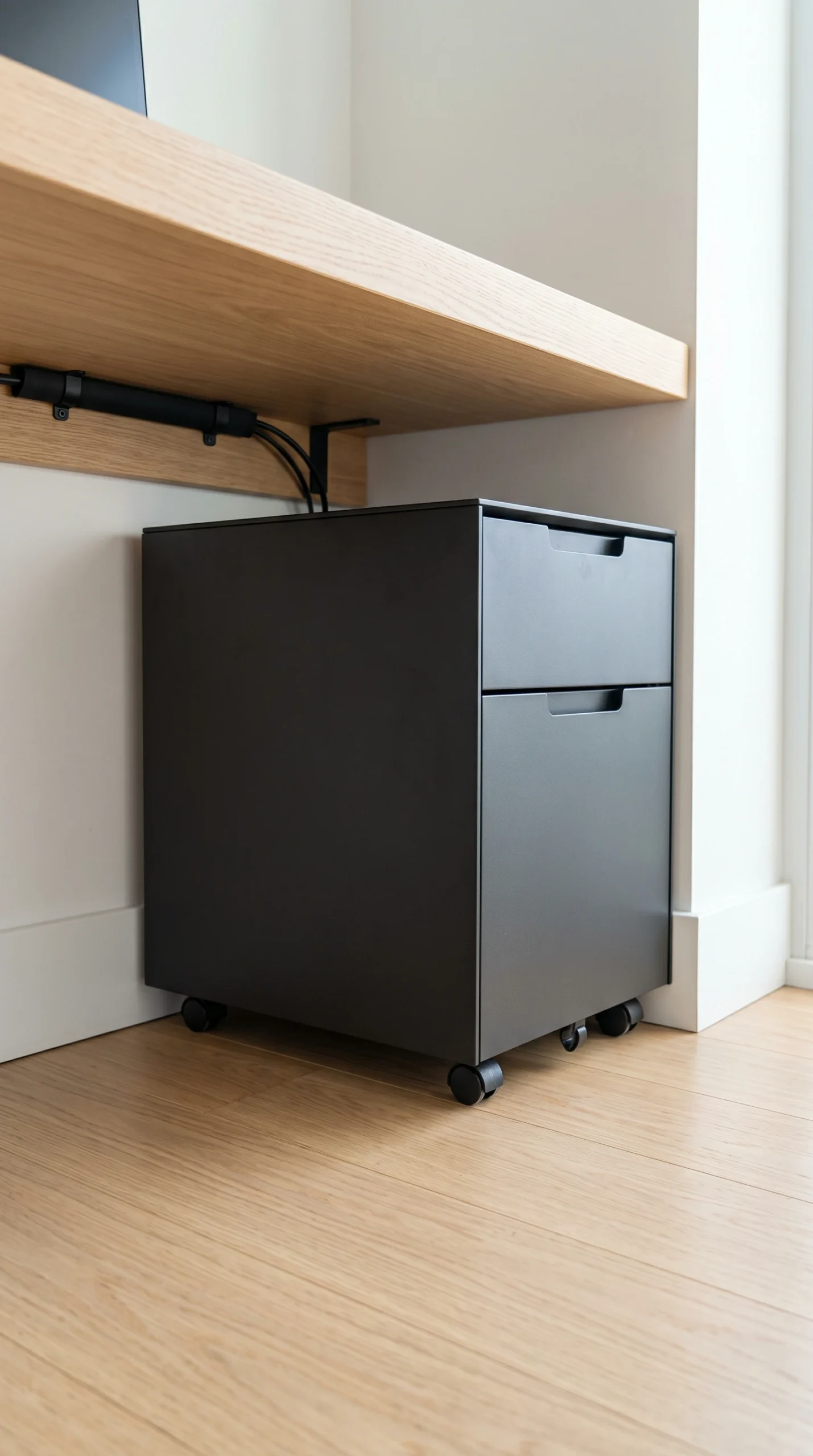
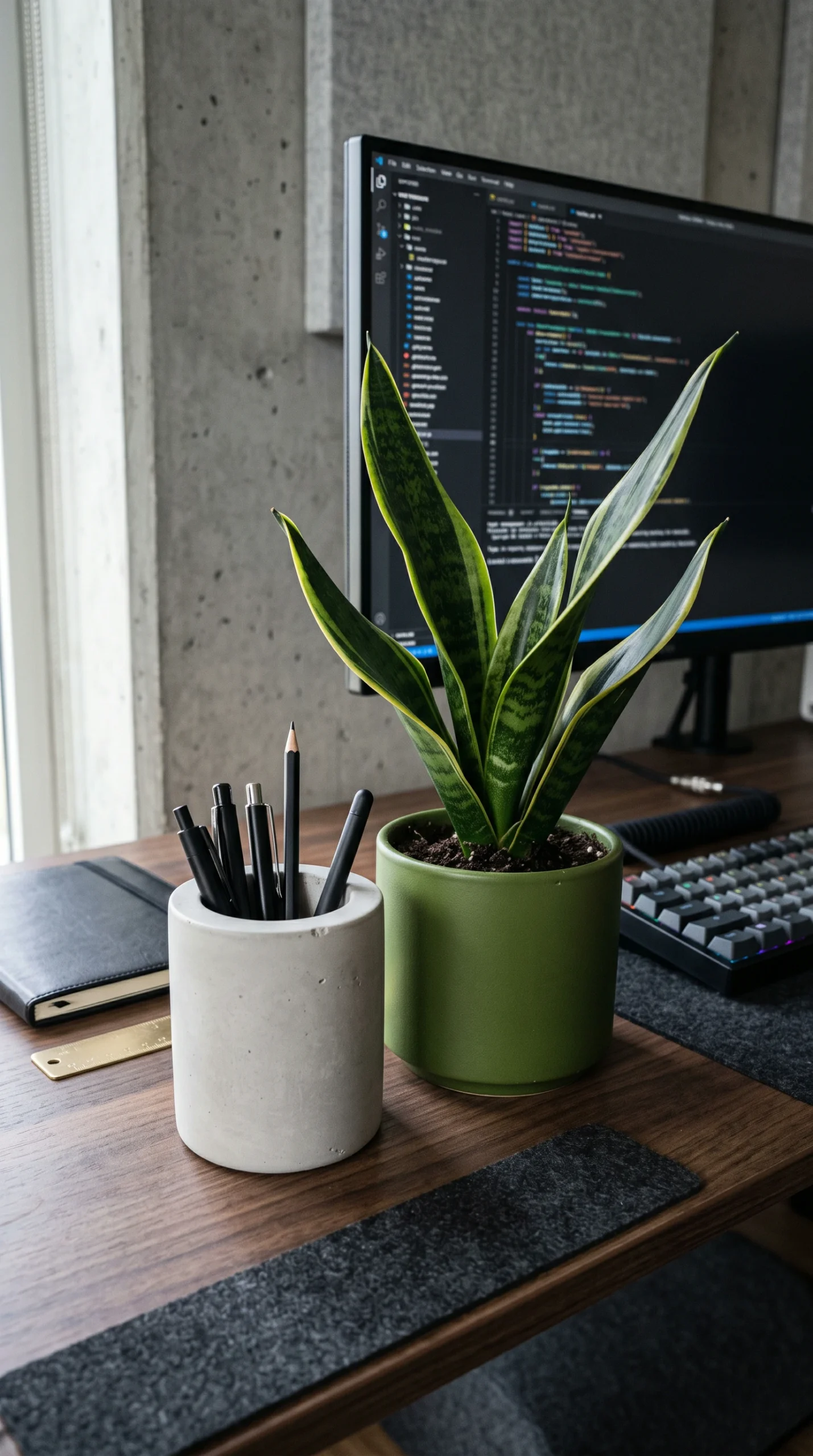
The foundation of a highly productive workspace is strict desk organization. You must adopt a “clean desk policy.” The surface of your desk is not a storage unit; it is an active operating table. To achieve this, you need designated, concealed storage. If your desk lacks built-in drawers, slide a sleek, Matte Black metal filing pedestal underneath it. Keep only the absolute essentials in your line of sight: your computer peripherals, a beautifully textured ceramic pen holder, and a single notebook. By heavily editing the items on your desk, you significantly reduce cognitive load and visual fatigue throughout the day.

Designing the Ultimate Workspace Setup

Once the clutter is gone, focus on the geometry of your workspace setup. Your hardware must support your physical health. Center your primary monitor directly in front of your ergonomic chair, avoiding setups that force you to twist your neck to one side. Using mechanical monitor arms allows you to push the screens back, providing critical distance for your eyes while opening up the Warm Ash Wood surface beneath them. Introduce soft brutalist textures—like a smooth concrete coaster or a raw linen desk mat—to add tactile warmth to the cold plastics and metals of your computer hardware.

Enhancing the Setup with Light and Life

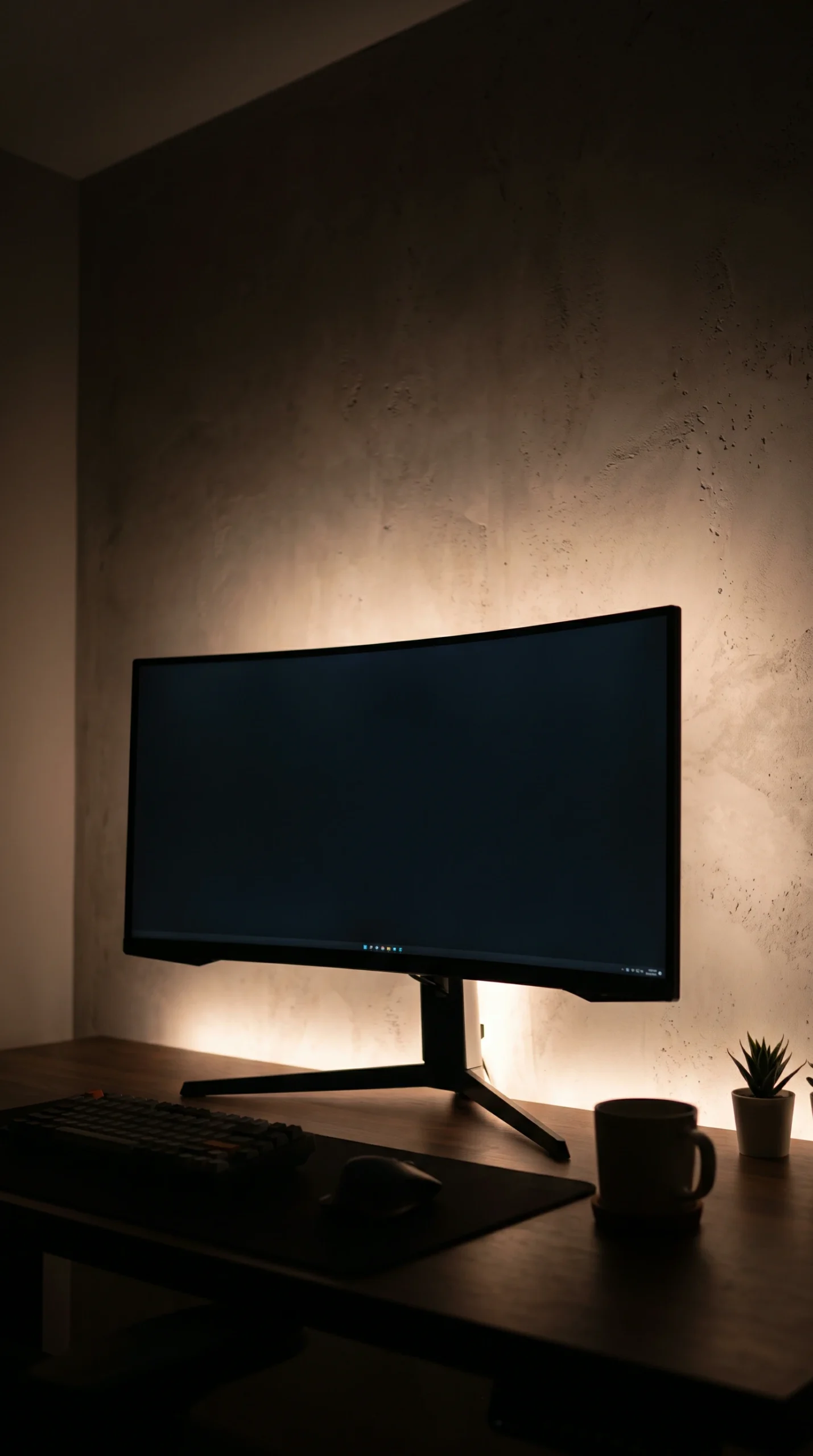
The final layer of your home office desk setup involves lighting and biophilia. Proper lighting prevents the late-afternoon slump. Attach a monitor light bar to illuminate your active work zone, and install a hidden LED strip behind the back edge of your desk to cast a warm, glowing bias light against the wall, reducing the harsh contrast of bright screens in a dim room. Finally, place a small, low-maintenance Focus Green plant—like a snake plant or a small pothos—on the corner of your desk. This touch of organic life breaks up the rigid tech landscape and serves as a natural stress reducer during intense work sessions.

Where It Works Best

Focused Command Centers

The principles of ergonomic alignment, clean surfaces, and strict cable routing can maximize productivity in any dedicated work area.
FAQS

Frequently Asked Questions

Expert tips for arranging dual monitors, hiding unsightly cables, and maintaining a permanently organized desk surface.
Use a monitor arm to lift screens off the desk, keep the surface entirely clear using floating shelves above the monitors, and use a desk pad to define your workspace visually.
If you use both equally, center them so the bezel (the split) is directly in front of you. If you have a primary screen and a secondary screen for reference, center the primary screen and angle the secondary one to the side.
Invest in a freestanding rolling pedestal cabinet to tuck underneath the desk. Alternatively, use a monitor riser stand that features small built-in cubbies or sliding drawers underneath to hide pens and notebooks.
Mount a metal raceway or J-channel to the underside of the back edge of your desk. Stuff all power strips and excess cable length into this tray. Route the remaining cables down one desk leg using zip ties or velcro wraps.
A desk pad protects the surface of your desk from scratches, provides an incredibly smooth surface for your mouse, softens the hard edge of the desk under your wrists, and visually grounds your keyboard area.
Bias lighting is a soft light placed behind a monitor or TV. Yes, you need it! It reduces the intense contrast between your bright screen and the dark room, significantly reducing eye strain and headaches.
You can, but it is terrible for your posture. If you must use a laptop, buy a laptop stand to elevate the screen to eye level, and plug in a separate, external keyboard and mouse on the desk surface.
Use warm materials. A real wood desktop (like walnut or ash), a felt or leather desk pad, a warm 2700K ambient desk lamp, and a potted plant will instantly make the setup feel residential and inviting.
Placing your desk perpendicular to the window is best, as it prevents direct screen glare while still allowing you to look outside. If you must face a wall, ensure you decorate it intentionally or use a textured limewash paint.
It is the habit of completely clearing your desk surface at the end of every workday. Put away pens, wash coffee mugs, and stack notebooks. This ensures you start the next morning with a blank, distraction-free slate.
Recent Inspiration

Discover More Home Decor Ideas

Explore the latest interior design trends, decorating inspiration, and beautifully curated spaces to spark new ideas for every room in your home.
Accent Wall Bedroom Ideas That Transform Your Space

Transform your sleeping space with expert accent wall bedroom ideas. Discover the best bedroom accent…

Modern Accent Wall Bedroom Ideas for a Stylish Look

Elevate your sleeping space with modern accent wall bedroom ideas. Discover contemporary bedroom decor, integrated…

Small Bedroom Accent Wall Ideas That Make a Big Impact

Maximize your space with small bedroom accent wall ideas. Discover clever small bedroom wall ideas,…

Accent Wall Ideas for a Cozy and Relaxing Bedroom

Transform your sleeping space with cozy bedroom accent wall ideas. Discover expert tips for warm…

Small Half Bath Sink Ideas That Save Space Without Sacrificing Style

Discover small half bath sink ideas to maximize your space. Explore modern pedestal sink ideas…

Bedroom Accent Wall Color Ideas for Every Style

Transform your space with expert bedroom accent wall colors. Discover top accent wall paint colors,…

✦ Showome

Welcome! Please enter your details to chat with our interior designer.